
Know what's on the shelf, and what it costs you.
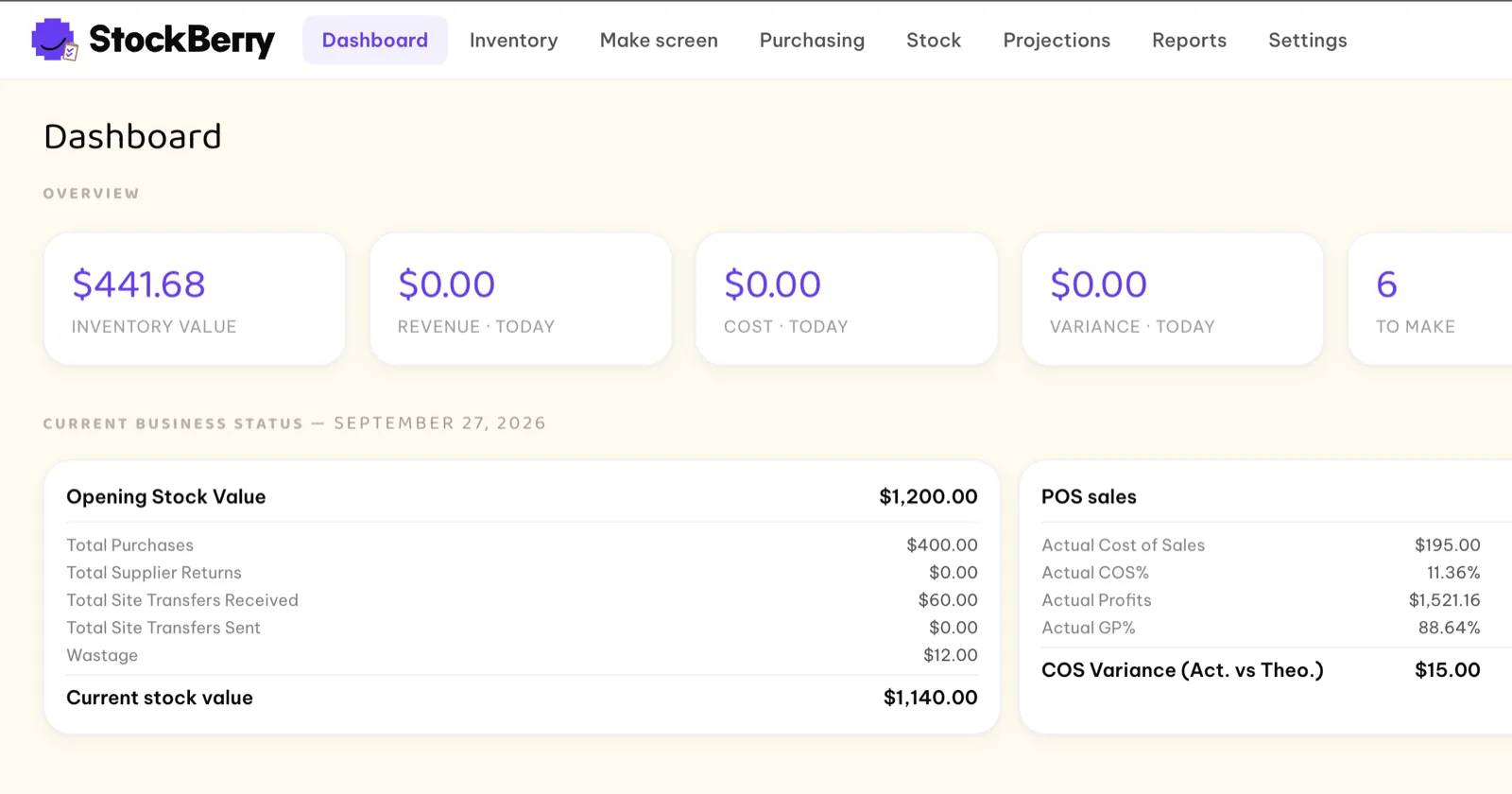
StockBerry tracks stock, costs every recipe, plans the day's prep, orders from suppliers and counts inventory, for one kitchen or a whole group. It runs on BiteBerry Core, so every order that goes through BiteBerry takes its ingredients out of stock by itself.
Sales take stock
out by themselves.
Till, web, voice, chat and marketplace orders sync in from BiteBerry, and each sale draws down the ingredients in its recipe. Cancelled orders come to an approval screen: if the food was never made, the ingredients go back on the shelf. Every receipt, prep, sale, transfer, waste entry and count is kept in one audit trail, so you can see exactly why a stock level is what it is.
An order comes in
Walk-in, web, voice, chat or marketplace, synced from BiteBerry.
The recipe is applied
Menu items and batch items (sauces, doughs, stocks) each have a recipe.
Stock and cost update
Ingredients come out of stock, and cost of sales and gross profit follow.
Everything between the supplier and the plate.
Recipes and costing
Recipes for every menu item and in-house batch. Costs follow what you actually pay suppliers, with units converted for you (kg to g, case to piece) and allergens tagged per item.
Sales forecasting
Forecast demand per item for the days ahead. Public holidays for your country come preloaded as busy or quiet days, and you can add your own events.
Make screen and prep sheets
The forecast becomes a daily Make screen per kitchen: what to prep and how much. Enter what was made, tick it off, and print prep sheets and labels.
Suggested purchase orders
One order per supplier, sized from the forecast, your par levels and what's on hand. Receive in full or in part, record why a line was short, and keep the PDF and receipts.
Central kitchen and transfers
Move stock between your own sites. A central or prep kitchen gets suggested transfers for the restaurants it supplies, then picks, ships and has them received.
Stock takes
Scheduled, ad hoc or blind counts with printable sheets. StockBerry flags a count that looks mistyped, and variance is approved before it changes stock.
Waste tracking
Log what was spoiled, spilled or thrown away, with a reason. Waste recorded on the BiteBerry till comes in by itself, so costs don't quietly drift.
Master Cookbook
Define products and recipes once for the group and apply them to the sites you choose. Each site keeps its own stock, costs, suppliers and par levels.
AI item setup
Describe an item in plain words and AI fills in the form: units, storage, shelf life, allergens and VAT. You check it and save.
See which dishes earn.
A report library built on the same data, with Excel export.
Stock
- Inventory cost: opening and closing value, purchases, COGS and variance per item
- Stock reconciliation: beginning vs ending stock, every movement accounted for
- Closing stock from the latest approved count
- Wastage and yield
Sales and profit
- Sales analysis: revenue, cost of sales and gross profit by item
- Management figures: a P&L summary for the period
- Menu profitability and profit contribution
- ABC / XYZ analysis of menu items
Planning
- What-if: change an ingredient cost and watch menu COGS, GP and margin update
- Sales target: enter a revenue goal and get the units to sell per item
Purchasing
- Spend analysis by supplier and item
- Internal transfers between your sites
Stop guessing your food cost.
See the cost and margin of every dish, what to prep today and what to order next, in one place.
Request a demo →F.A.Q
Common queries about StockBerry inventory management.
How does stock update when I sell something?
Orders that go through BiteBerry (till, web, voice, chat and marketplace) sync into StockBerry, and each sale takes ingredients out of stock via its recipe. Cancelled orders come to an approval screen, and if the food was never made, the ingredients go back on the shelf.
How does StockBerry know what to order?
It suggests one purchase order per supplier, sized from the sales forecast for the ordering window, your par levels and the stock you already have. You review it before it goes out, and can receive deliveries in full or in part.
Does it help with prep?
Yes. The sales forecast turns into a daily Make screen for each kitchen, listing which batch items to make and how much. Staff enter what they actually made, and prep sheets and labels can be printed.
What kinds of stock takes are supported?
Scheduled, ad hoc or blind counts, where blind hides the expected quantities so the count is unbiased. StockBerry flags a figure that looks mistyped, and any variance is approved before it changes stock.
Can I run it across several sites or a central kitchen?
Yes. The Master Cookbook defines products and recipes once for the whole group, and each site keeps its own stock, costs, suppliers and par levels. A central or prep kitchen can send stock to the restaurants it supplies through internal transfers.
Can I see why a stock level is what it is?
Yes. Every quantity change (receipts, prep, sales, transfers, waste and counts) is recorded in a full audit trail you can trace item by item.